The Postback Revolution: Why Smart Affiliates Are Ditching Pixels for Server-to-Server Tracking

Here’s the truth: if you’re still relying on pixel tracking for your affiliate campaigns, you’re probably losing money. A lot of it.
Picture this: You’re running what looks like a killer campaign. Your dashboard shows decent click-through rates, your landing page is converting, and everything seems peachy. But here’s the kicker—a fair number of your actual conversions are vanishing into thin air, blocked by ad blockers, lost to cookie deletions, or simply failing because someone switched from their phone to their laptop before buying.
Welcome to the wild world of affiliate marketing, where the difference between pixel tracking and postback tracking isn’t just technical jargon—it’s the difference between scraping by and actually scaling your business.
What Is Postback Tracking Anyway?
Let’s cut through the technical BS for a minute. Postback tracking is basically like having a direct hotline between the advertiser and your tracking platform. Instead of hoping a little piece of JavaScript survives the journey through someone’s browser (spoiler alert: it often doesn’t), postback tracking sends conversion data straight from server to server.
Think of it like this: Traditional pixel tracking is like playing telephone at a loud party—the message might get through, but there’s a decent chance it’ll get lost or mangled along the way. Postback tracking? That’s like having a private, encrypted phone line. The message gets through, every single time.
When someone clicks your link and eventually converts, the advertiser’s server immediately pings your tracker with a message that basically says, “Hey, that person you sent us just bought something. Here’s their click ID, here’s how much commission you earned, and here’s when it happened.” No browsers involved. No cookies to worry about. No JavaScript to break. Just pure, reliable data flowing from point A to point B.
The Brutal Reality of Pixel Tracking
Before we dive deeper into why postback is so much better, let’s talk about why pixel tracking is slowly dying a painful death.
Zach Measures learned these lessons the hard way:
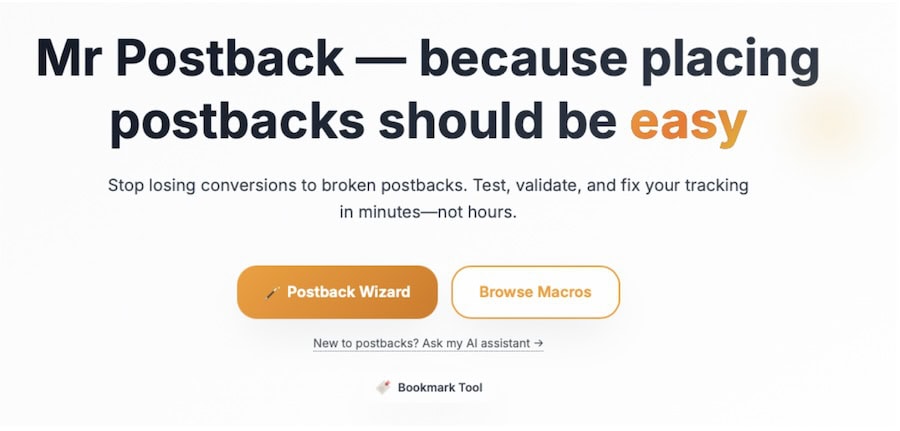
“I’m a recovering ‘postbackaholic’. I hated them. They were the monsters under the bed. Ignore them and let someone else deal with them. The problem is, they don’t go away and they are central to understanding everything in Affiliate marketing. So bad was my Postback Traumatic Disorder that I actually joined Everflow.io (a leading attribution and Partner Management software), because, for the first time, I actually understood what the system did! As part of my recovery process, I built a little side project called MrPostback to help those in Postback Hell. It’s a wizard which allows you to match tracking platforms, translate macros automatically and format postbacks from over 4,500 parameters before you send them to your advertiser.“
Zach’s story isn’t unique. It started with the idea of exploring AI tools to help save time and money. Whilst this tool is not a commercial website, it’s a simple little weekend project designed to help those in the industry who were just like him!
Pixel tracking faces a perfect storm of problems that are only getting worse:
Ad Blockers Are Everywhere About 27% of internet users now run ad blockers, and these tools don’t just block ads—they block tracking pixels too. That’s more than a quarter of your potential conversions disappearing before they even have a chance to be counted.
Browsers Are Getting Stricter
Safari’s Intelligent Tracking Prevention (ITP) has been wreaking havoc on cookie-based tracking for years. Firefox has joined the party with Enhanced Tracking Protection. And Google? They’ve been promising to kill third-party cookies for so long it’s become a running joke, but when they finally do it, pixel tracking is going to take a massive hit.
People Switch Devices Like Crazy Someone sees your ad on Instagram while scrolling on their phone during lunch, but they don’t buy it until they’re home on their laptop that evening. Traditional pixel tracking? It has no clue these are the same person. That conversion just became an “organic” sale as far as your tracker is concerned.
JavaScript Is Fragile, slow-loading pages, script conflicts, browser compatibility issues—there are a thousand ways for pixel tracking to break, and Murphy’s law says it’ll happen right when you’re having your best traffic day.
Why Postback Tracking Is Taking Over
Here’s where things get interesting. While pixel tracking is struggling with all these problems, postback tracking just… works. It’s like the difference between sending a letter through the regular mail and hand-delivering it yourself.
“Postbacks SEEM boring but in actual fact they are AMAZING. So much data can be passed back whether that’s basic sale information, SUB IDs, Advertiser variables or, in advanced platforms, user data. From this Marketers can actually get into the fun stuff – finding out what’s working and why!“, says Zach
The Numbers Don’t Lie – Recent industry data shows that brands using advanced tracking methods (primarily server-side implementations like postback) have seen an average 60% boost in reported affiliate marketing revenue. That’s not because they’re suddenly getting more conversions—they’re finally seeing the conversions that were always there.
Real-Time Optimisation Actually Works with pixel tracking, you might not know about conversions for hours or even days, especially if you’re dealing with delayed firing or script failures. Postback tracking? You know within seconds. This means you can pause losing campaigns faster, scale winners more aggressively, and make optimization decisions based on actual data instead of gut feelings.
Cross-Device Attribution Finally Makes Sense Because postback tracking happens server-side, it can connect the dots between different devices and sessions. That mobile click that turns into a desktop conversion? Postback tracking catches it. That view-through conversion that happens three days later? Yep, that too.
The Technical Stuff (Made Simple)
Okay, let’s get into the nuts and bolts without making your eyes glaze over. Understanding how postback tracking actually works will help you implement it better and troubleshoot when things go wrong.
The Journey of a Click
Step 1: The Click Happens Someone clicks your affiliate link. Your tracker immediately generates a unique ID for this click—think of it as a digital fingerprint—and sends the person on their way to the offer page.
Step 2: They Convert The person likes what they see and takes action—makes a purchase, signs up for an account, downloads an app, whatever the goal is. The advertiser’s system captures this conversion along with that unique click ID you generated earlier.
Step 3: The Magic Happens Here’s where postback shines. Instead of relying on browser-based tracking, the advertiser’s server immediately sends a message directly to your tracking platform. This message includes the click ID, conversion details, commission amount, and timestamp.
Step 4: You Get Paid Your tracker matches the click ID to the original visit, records the conversion, and updates your stats in real-time. You now have accurate, reliable data to make optimisation decisions.
What Makes a Good Postback URL?
A postback URL might look like gibberish to the untrained eye, but it’s actually pretty straightforward once you break it down:
https://yourtracker.com/postback?clickid=abc123&payout=25.50&orderid=ORD456789&country=US
Let’s decode this:
- clickid=abc123 – This connects the conversion back to the original click
- payout=25.50 – How much commission you earned
- orderid=ORD456789 – The advertiser’s internal order reference
- country=US – Where the conversion happened (useful for geo-targeting)
The advertiser’s system automatically fills in these details when someone converts, so you get all the information you need without any guesswork.
Setting Up Postback Tracking (Without Losing Your Mind)
Setting up postback tracking used to be a nightmare that required a computer science degree and a lot of patience. These days, it’s much easier, but there are still some gotchas that can trip you up.
That’s why Zach recently built his own smart tool – and is sharing this product for free with everyone in the affiliate marketing industry.
Go try it out for yourselves here
The Basic Setup Process
Get Your Templates
First, you’ll need postback URL templates from your tracking platform. These templates show you exactly what parameters they expect and in what format. Don’t try to wing it—use their exact specifications.
Map Your Parameters
This is where most people mess up. You need to match the parameter names your tracker expects with the tokens your affiliate network provides. If your tracker wants clickid but the network provides {click_id}, you need to map these correctly.
Test Everything
Before you go live with real campaigns, run test conversions to make sure everything’s working. Most networks and trackers have testing environments specifically for this purpose. Use them.
Monitor and Adjust
Keep an eye on your tracking for the first few days after setup. Compare your tracker’s conversion numbers with what the network reports. Small discrepancies are normal, but big gaps mean something’s broken.
Common Pitfalls and How to Avoid Them
The Case-Sensitive Trap Parameter names are often case-sensitive. ClickID and clickid are different things as far as computers are concerned. Double-check your capitalisation.
URL Encoding Issues
Special characters in URLs need to be “encoded” properly. If you’re seeing weird conversion data or missing conversions, URL encoding problems might be the culprit.
Timing Mismatches Some networks fire postbacks immediately, others batch them and send them every few minutes. Make sure your tracker’s conversion window settings account for these delays.
The Multi-Platform Challenge
Here’s where things get really interesting (and complicated). Most serious affiliates aren’t just running traffic from one source to one network. You might be pulling traffic from Facebook, Google, native ad platforms, and email lists, then promoting offers across multiple networks.
Each platform has its own way of doing things, its own tokens, its own timing requirements. It’s like trying to conduct an orchestra where every musician speaks a different language.
The Dual Postback System
Many advanced setups actually use two separate postback URLs:
- Network to Tracker: When someone converts, the network tells your tracker
- Tracker to Traffic Source: Your tracker then tells the traffic source about the conversion
This dual system enables some powerful optimisation features, especially if you’re using automated bidding or cost-per-acquisition models.
WordPress and the DIY Crowd
Not everyone’s running enterprise-level tracking setups. Plenty of affiliates are working with WordPress sites and need postback tracking that doesn’t require a development team.
The good news? There are plugins that can handle this for you. Tools like “Order Postback Woo” for WooCommerce sites or “ClickPerf” for general affiliate tracking can automate the whole process. They’re not as flexible as custom solutions, but they get the job done for most people.
If you’re comfortable with a bit of coding, you can build custom postback endpoints in WordPress using functions like add_rewrite_endpoint() and wp_remote_post(). It’s more work upfront, but it gives you complete control over how your tracking works.
The Privacy Angle
With all the privacy regulations flying around—GDPR in Europe, CCPA in California, and who knows what’s coming next—postback tracking actually gives you some advantages.
Because postback tracking doesn’t store personal data in browsers or rely on extensive cookie tracking, it sidesteps many privacy compliance headaches. You’re still collecting conversion data, but you’re doing it in a way that’s much more privacy-friendly.
This isn’t just about avoiding regulatory fines (though that’s nice). Consumers are becoming more privacy-conscious, and tracking methods that respect their privacy tend to work better long-term.
Advanced Strategies for the Ambitious
Once you’ve got basic postback tracking working, there are some advanced techniques that can really supercharge your campaigns.
Statistical Attribution Modeling
Instead of giving all the credit to the last click before conversion, you can use statistical models to understand the true contribution of each touchpoint in the customer journey. This involves techniques like:
Cohort Analysis: Comparing conversion rates and lifetime value between customers who were exposed to your affiliate marketing versus those who weren’t.
Control Groups: Running parallel campaigns where some audiences see your affiliate promotions and matched control groups don’t, then measuring the difference.
Media Mix Modeling: Using statistical analysis to understand how different marketing channels (including affiliate) contribute to overall business results.
These approaches require more sophistication and data, but they can reveal insights that simple last-click attribution misses entirely.
Multi-Touch Attribution
Modern customer journeys are messy. Someone might see your ad on Facebook, research on Google, check reviews on YouTube, and finally buy after getting an email reminder. Who deserves credit for that sale?
Advanced postback implementations can track multiple touchpoints and assign partial credit to each interaction. This gives you a more complete picture of how your marketing efforts work together.
Troubleshooting When Things Go Wrong
Even perfect setups break sometimes. Here are the most common problems and how to fix them:
Conversions Show Up in the Network but Not Your Tracker
This usually means your click IDs aren’t being passed correctly. Check your offer URLs to make sure they include the click ID parameter the network expects.
Duplicate Conversions
Some networks fire postbacks multiple times to ensure delivery. Your tracker should have deduplication logic to handle this, but if it doesn’t, you’ll see the same conversion recorded multiple times.
Delayed Conversions
Not all conversions happen immediately. Someone might convert hours or days after clicking your link. Make sure your tracker’s conversion window is set appropriately for your offers.
The Future Is Server-Side
The writing’s on the wall for browser-based tracking. Between increasing privacy regulations, browser restrictions, and the general trend toward cookieless marketing, server-side tracking isn’t just better—it’s becoming essential.
Smart affiliates are making the switch now, while they have time to figure things out and optimize their setups. Waiting until you’re forced to change is a recipe for scrambling and making mistakes when you can least afford them.
Blockchain verification, AI-powered attribution, and real-time bidding integration are all building on server-side foundations. Get comfortable with postback tracking now, and you’ll be ready for whatever comes next.
Making the Switch
If you’re still on pixel tracking, you don’t have to switch everything at once. Start with your biggest, most profitable campaigns. Get postback working there, document what you learn, then gradually roll it out to the rest of your portfolio.
The initial setup takes more work than slapping a pixel on a page, but the payoff is worth it. More accurate data, better optimisation capabilities, future-proof tracking, and the peace of mind that comes from knowing you’re seeing the full picture of your campaign performance.
The affiliate marketing industry moves fast, but the fundamentals of good tracking don’t change: accurate data leads to better decisions, which leads to more profits. Postback tracking gives you the most accurate data possible. Everything else flows from there.
Looking for more insights into affiliate marketing attribution, campaign optimisation, and industry trends? Check out the latest analysis and expert interviews at Affiverse
Everflow
Connect
Tradedoubler
Connect
1win Partners
Connect
Shopnomix, a Nomix Group Company
Connect
Huffson Group
Connect
Kawaii Partners
Connect
Trackdesk
Connect
Share your expertise and expand your reach and become a content contributor with us today!
Contact Us To Find Out More